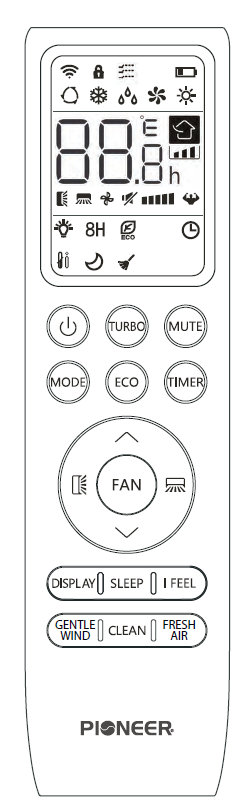
Understand the Buttons for the RC410TG-F Remote ControlUpdated a day ago
Introduction
This article explains the buttons available for the Quantum Fresh's RC410TG-F remote controller.
The Quantum Fresh High-Wall series has a remote controller with slightly different functions. Click this link for information on the RC410TG remote controller for Diamante and Quantum series systems.
Overview of the Buttons
Button | Description |
|---|---|
 | Turn the air conditioner on or off |
 | Activate or deactivate turbo mode to allow the system to rapidly reach set temperatures |
 | Activate or deactivate the system's mute mode |
 | Select the mode of operation |
 | Activate and deactivate the system's ECO mode |
Press and hold to activate the 46°F freeze protection setting | |
 | Configure the automatic on and off timer settings |
 | 1. Navigate the functional menu 2. Increase the set temperature and timing |
 | 1. Navigate the functional menu 2. Decrease the set temperature and timing |
 | Configure the fan speed (auto, low, mid, or high) |
 | Activate or deactivate the up-down louver motor |
 | Activate or deactivate the left-right louver motor |
 | Turn the LED display on or off |
 | Activate or deactivate the system's sleep mode |
 | Activate or deactivate the system's I feel mode |
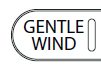 | Activate or deactivate the system's gentle wind mode |
 | Activate or deactivate the self-clean mode |
 | Activate or deactivate the system's fresh air mode |
| Child-Lock | Press and hold the MODE and TIMER buttons to activate and deactivate the child-lock function |