Activate Cooling ModeUpdated a month ago
Introduction
This article explains how to activate Cooling mode for Under-Bench RV Inverter Packaged Heat Pump Air Conditioners (PYR).
In Cooling mode, the refrigerant heats or cools the components through which it passes by changing its physical state from liquid to gas.
The air that is drawn into the system (the "return air") by the fan blower flows through the evaporator that has been made significantly cold. The air then comes out cooled and removed of humidity (the "supply air").
Repeating this process continuously over a long period of time leads to a reduction in the air temperature and humidity levels inside the vehicle.
The selected configuration will be retained in the system's memory when it is switched on again next.
Steps
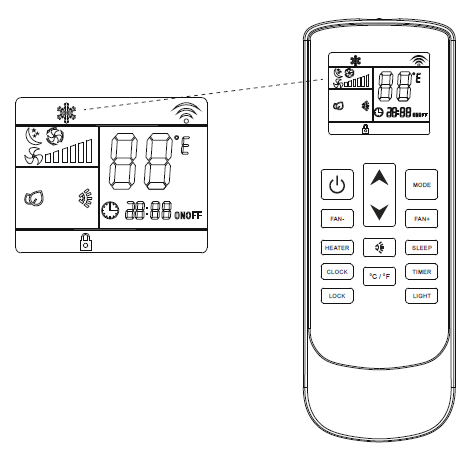
- Press the On/Off button to switch the machine on or off.

- Press the Mode button to cycle through the operating modes, then select Cooling mode.

- Use the temperature selection buttons to select a set point temperature between 64-86°F.

- Press the fan speed buttons to select low, medium, high, or automatic fan speed.