
Create Siri Shortcuts for ScenesUpdated 8 months ago
Introduction
This article explains how to create Siri shortcuts for scenes in the Pioneer Airlink app.
Users with Apple smartphones can create Siri shortcuts to activate scenes. Siri is Apple's built-in, voice-controlled intelligent assistant for iPhones.
For information on creating scenes in the Pioneer Airlink app, click this link.
Note: This feature is not available for Android smartphones.
Steps
1. Open the Pioneer Airlink app.
2. Open the Scene tab. 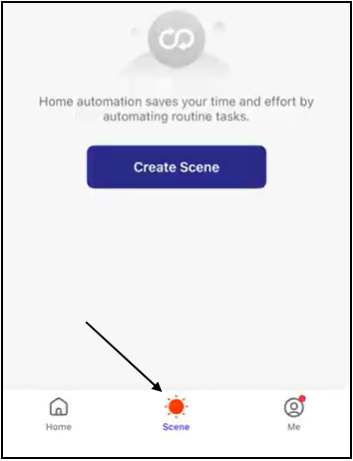
3. Open the Tap-to-Run section. 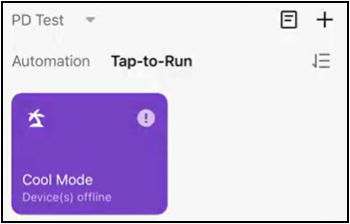
4. Tap the "Add to Siri" button. 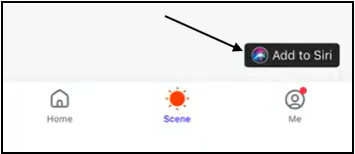
5. Select the scene you want to create a Siri shortcut for. 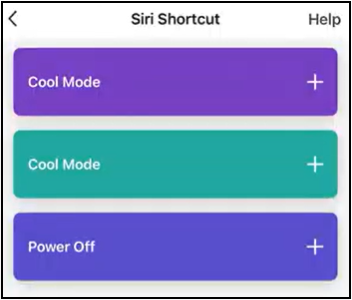
6. The shortcut is added to the scene. Users can activate the scene by saying the phrase to Siri. 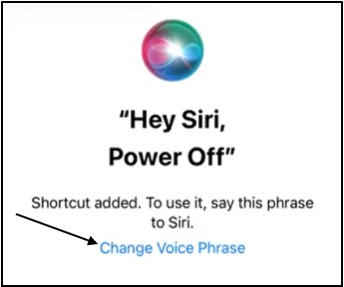
Users can change the voice phrase by tapping "Change Voice Phrase" and entering the new phrase.
7. Tap "Done" to confirm the Siri shortcut for the scene. 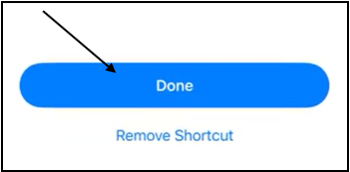
Tapping "Remove Shortcut" will remove the Siri shortcut for the scene.