
Install the Mounting Plate for Wall-Mounted Indoor UnitsUpdated an hour ago
Introduction
This article explains how to install the mounting plate for wall-mounted indoor units.
The actual appearance of the mounting plate may differ slightly, but the process is similar.
This article applies for the following systems:
- Diamante Essenza High-Wall (WYT-17)
- Diamante Pro High-Wall (WYT-20)
- Quantum Ultra High-Wall (WYT-24)
- Quantum Hyperformance High-Wall (WYT-25)
- Quantum Fresh High-Wall (WYT-FA)
Steps
1. Remove the mounting plate from the rear of the indoor unit and position it against the wall where the system will hang. Use a level to ensure the plate is perfectly aligned.
2. Drill holes 1-1/4 inch (32 mm) deep for each screw. The locations are flexible but should be well-spaced.
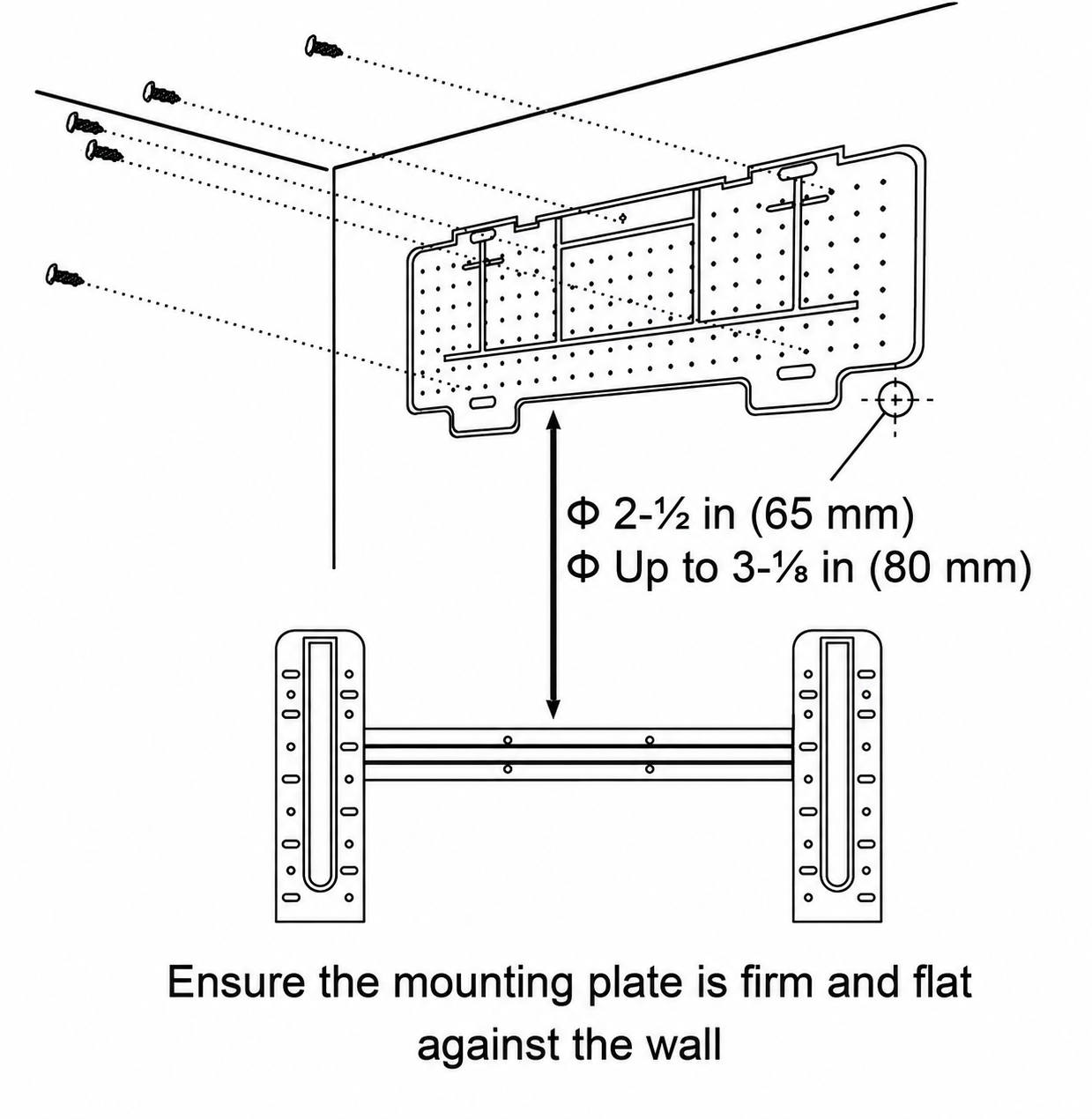
3. Insert the plastic anchors into each of the holes.
4. Attach the mounting plate to the wall using the included tapping screws. Confirm that it is secured.