Activate Dehumidification ModeUpdated 16 days ago
Introduction
This article explains how to activate Dehumidification mode for Full Inverter Rooftop RV Air Conditioner Heat Pumps (PYZ).
This mode is a limited function that can help reduce the humidity or moisture in the space.
However, this system is not intended to be used as a dedicated dehumidifier. Do not run this mode for long periods of time.
The selected configuration will be retained in the system's memory when it is switched on again next.
The fan speed selection buttons are disabled in this mode and will remain in low speed. 
Steps
- Press the On/Off button to switch the machine on or off.

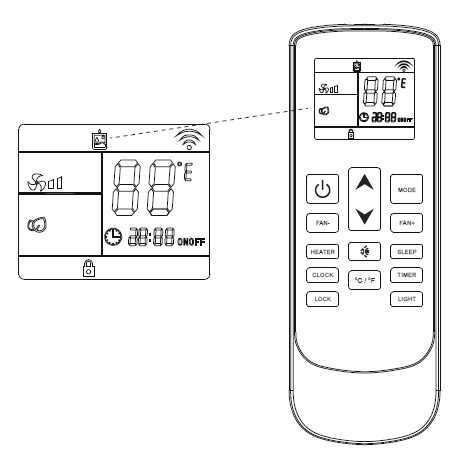
- Press the Mode button to cycle through the operating modes, then select Dehumidification mode.

- Use the temperature selection buttons to select the desired set point temperature.