Activate Cooling ModeUpdated 16 days ago
Introduction
This article explains how to activate Cooling mode for Full Inverter Rooftop RV Air Conditioner Heat Pumps (PYZ).
This mode cools the room air it draws in and supplies it back into the vehicle.
The auto fan speed is determined by the difference between the set and room temperatures.
The selected configuration will be retained in the system's memory when it is switched on again next.
Steps
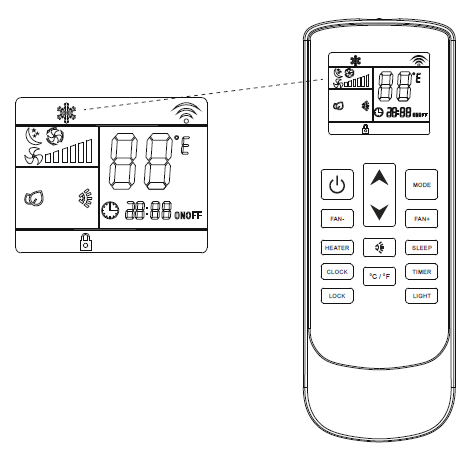
- Press the On/Off button to switch the machine on or off.

- Press the Mode button to cycle through the operating modes, then select Cooling mode.

- Use the temperature selection buttons to select the desired set point temperature.

- Press the fan speed buttons to select low, medium, high, or automatic fan speed.