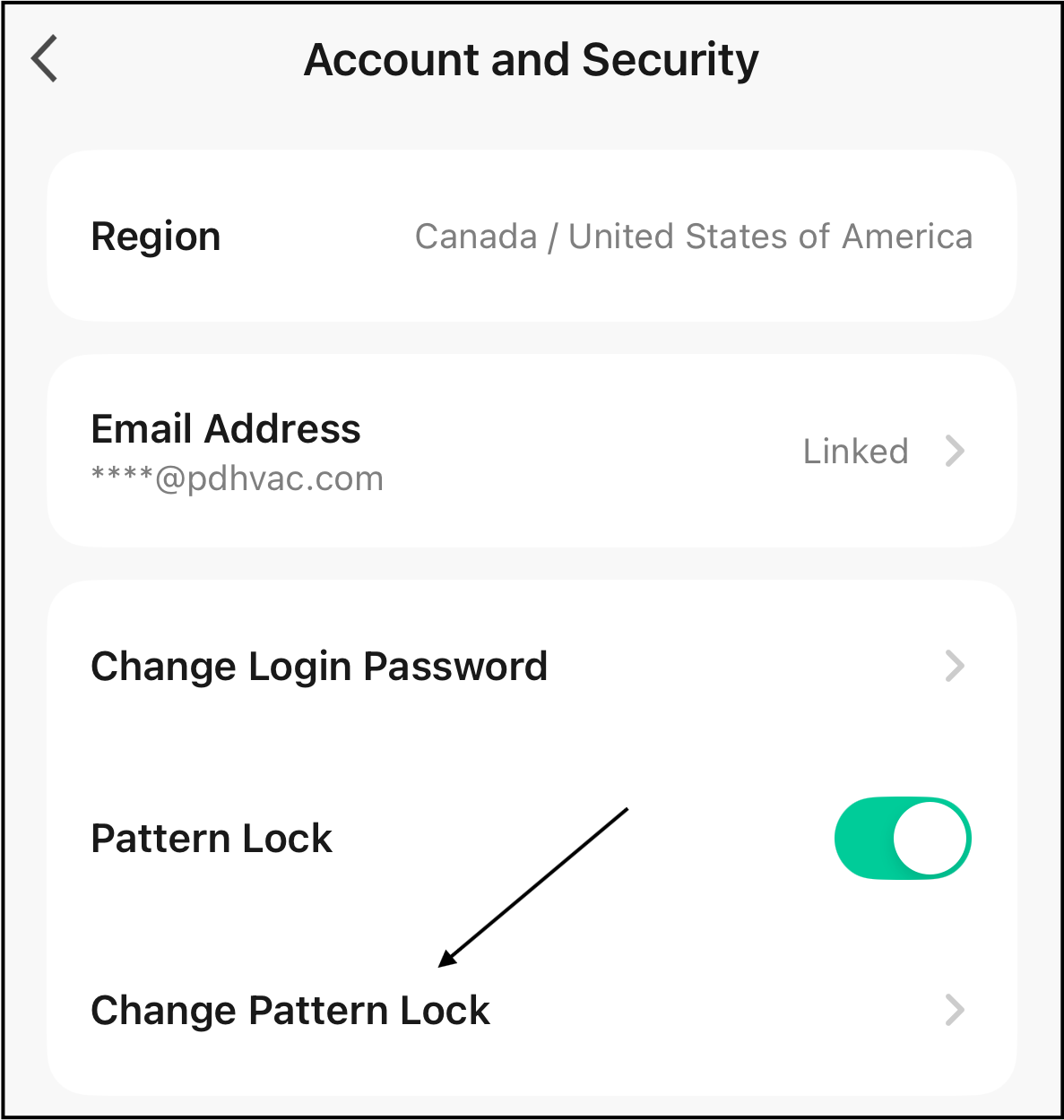
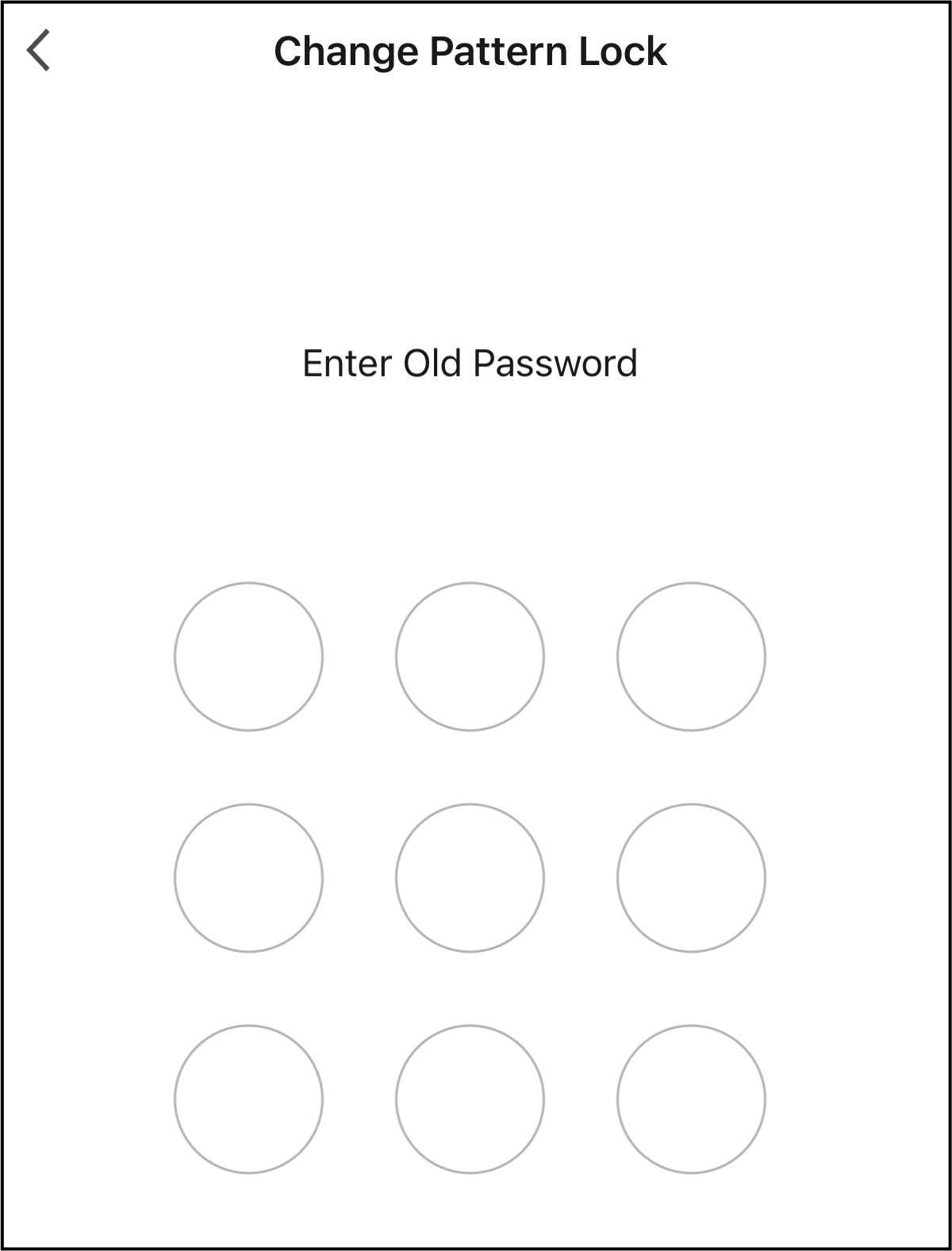
Enable Pattern Lock Password for the Pioneer Airlink AppUpdated 7 months ago
Introduction
This article explains how to enable a pattern lock password for your Pioneer Airlink app.
Steps
1. Open the Pioneer Airlink app.
2. Open the "Me" tab. 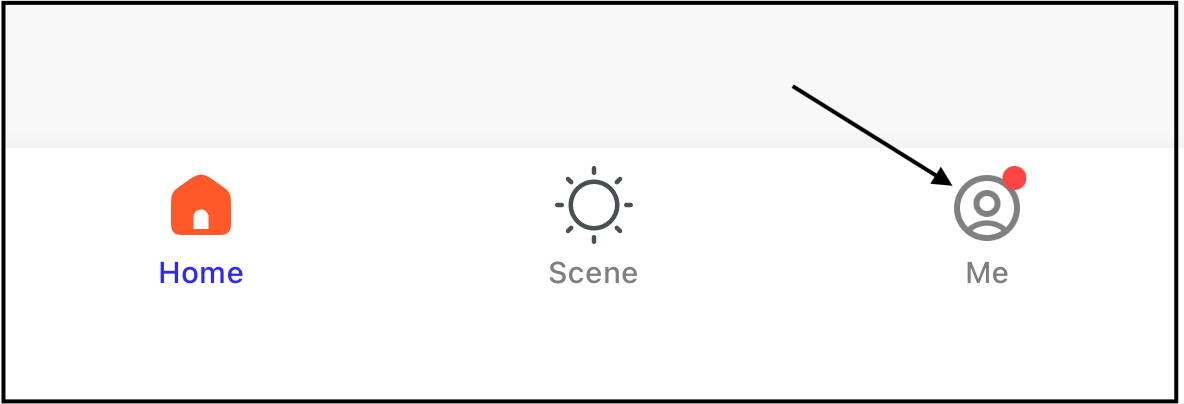
3. Tap the settings icon in the top-right corner of the screen. 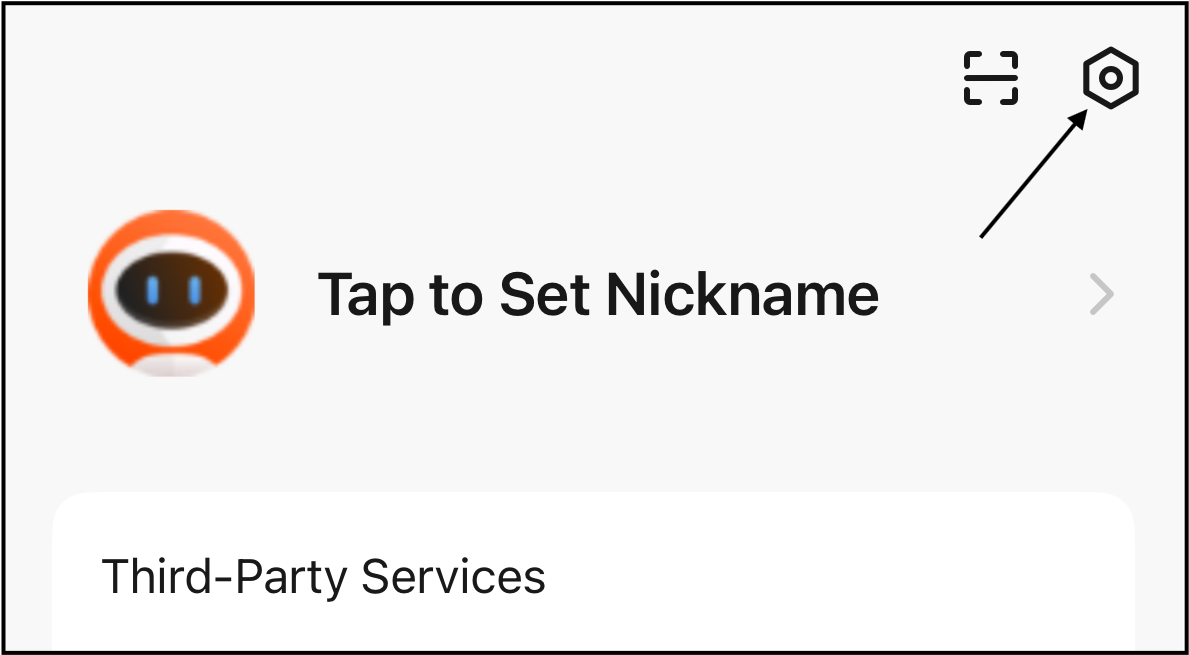
4. Tap "Account and Security". 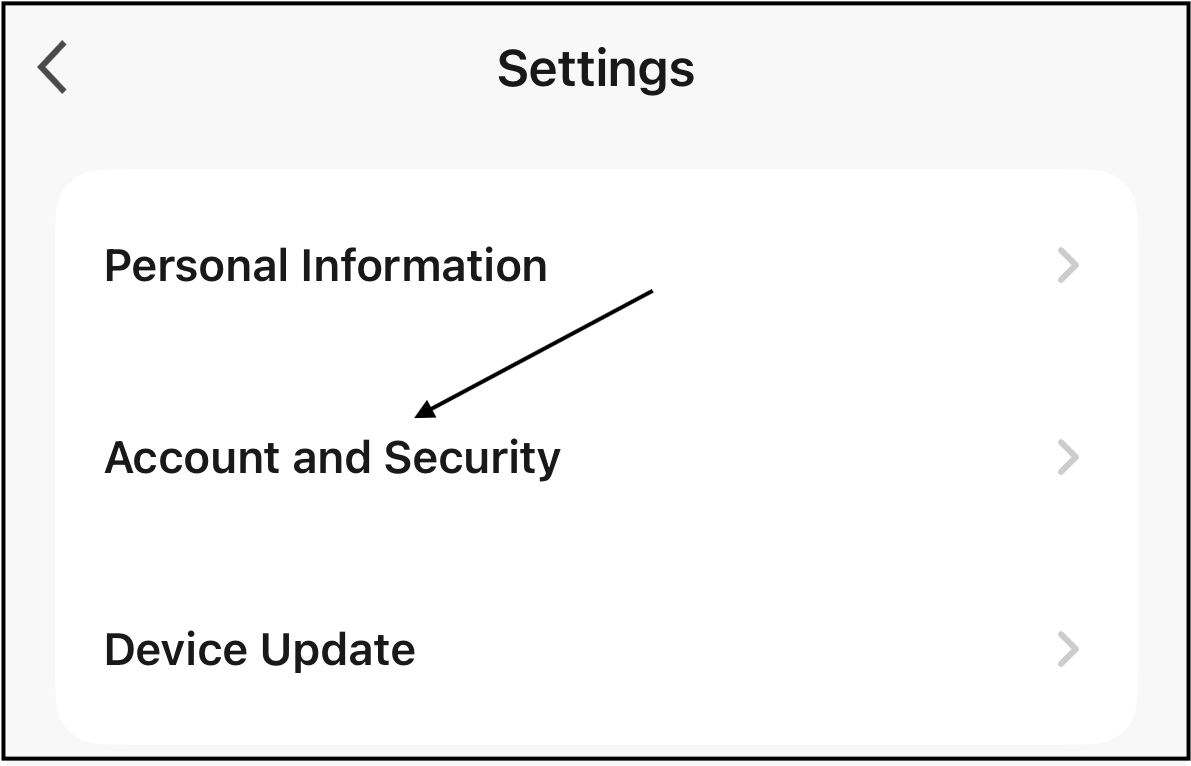
5. Tap "Pattern Lock".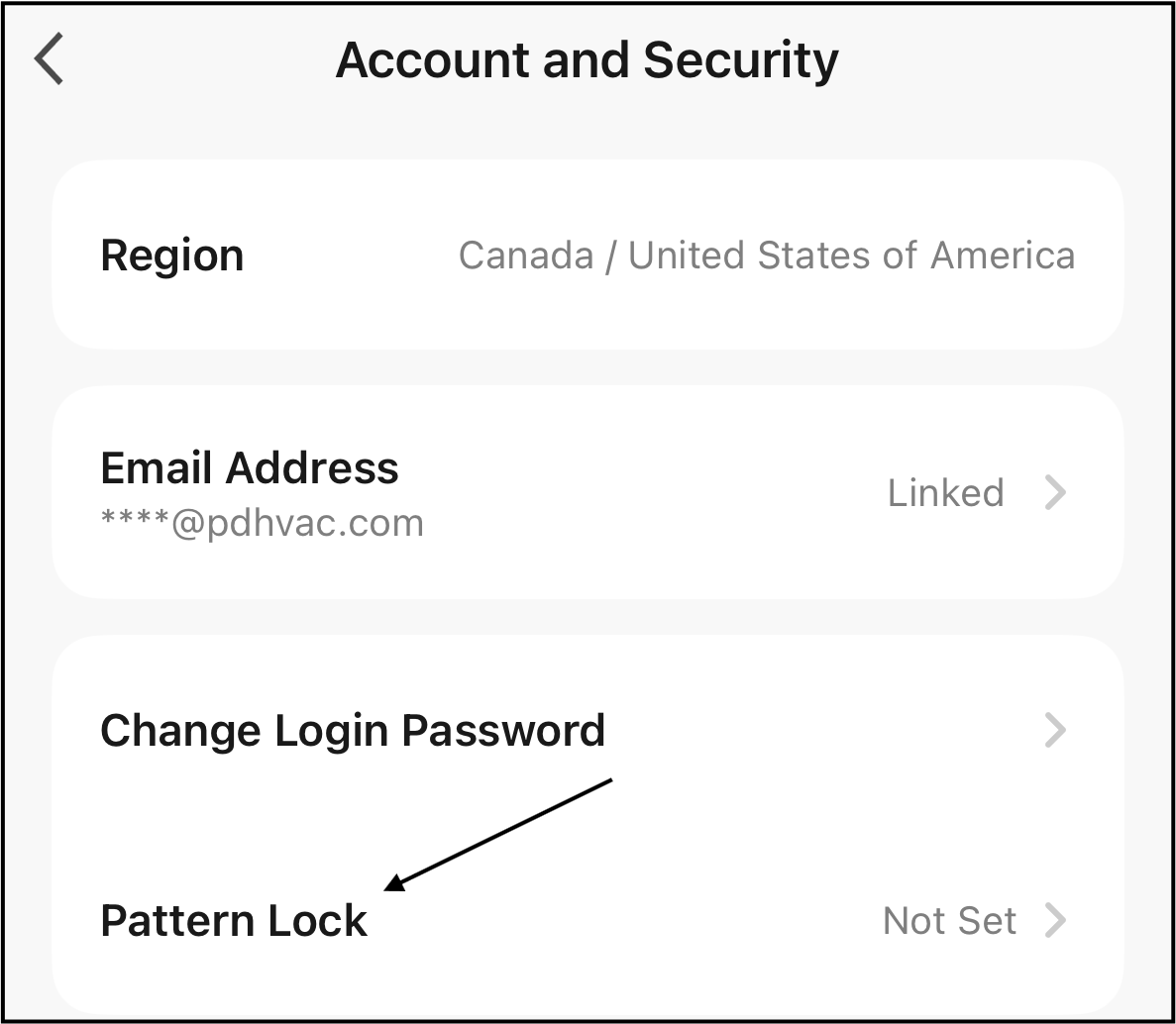
6. Record the pattern lock password. 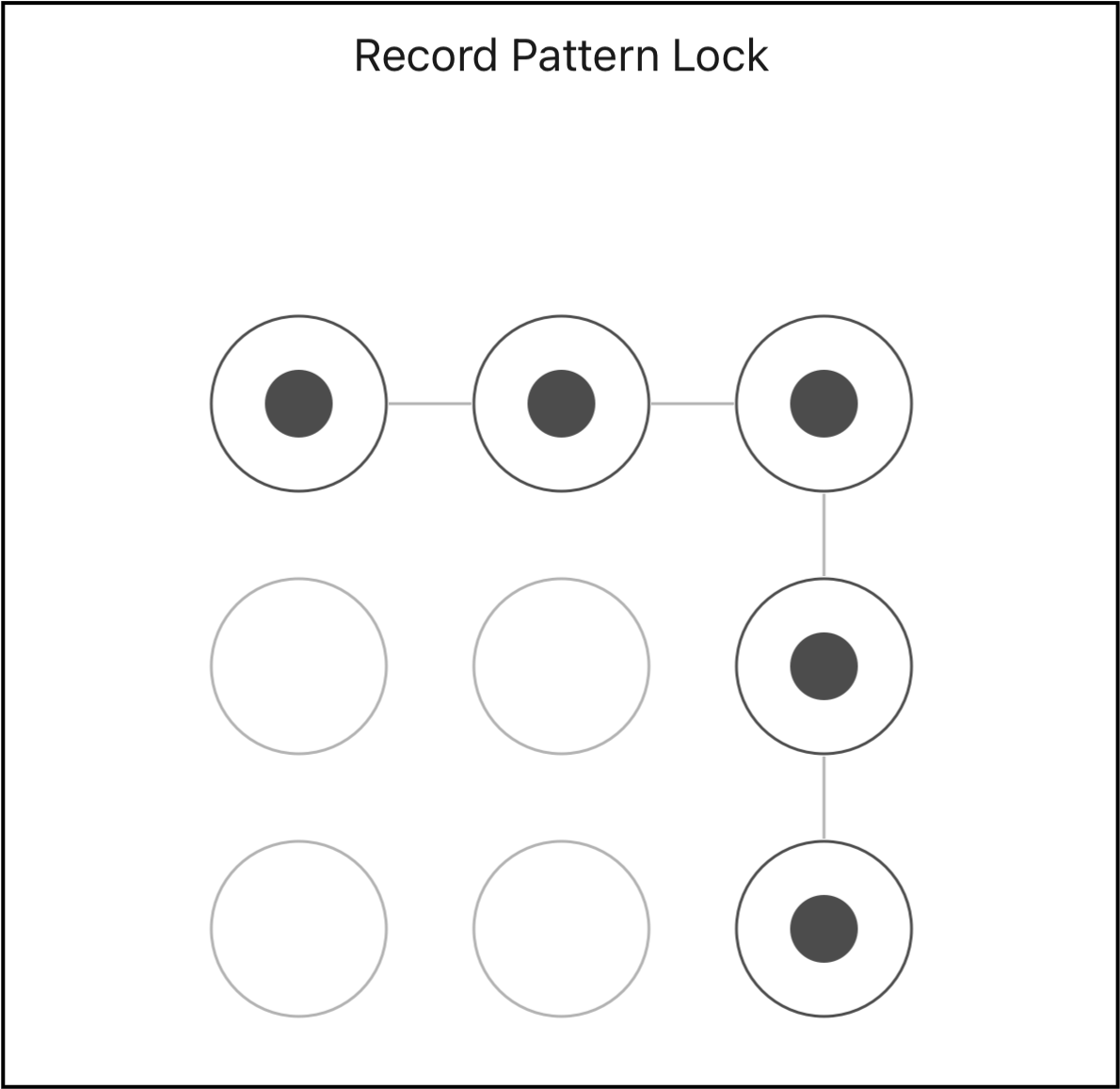
7. Record the pattern lock password again. If there are inconsistent passwords, the pattern lock must be re-entered.
The pattern lock password is now set.
The pattern lock password can be turned off or on by toggling the Pattern Lock switch. The pattern lock password will need to be entered to disable the function. 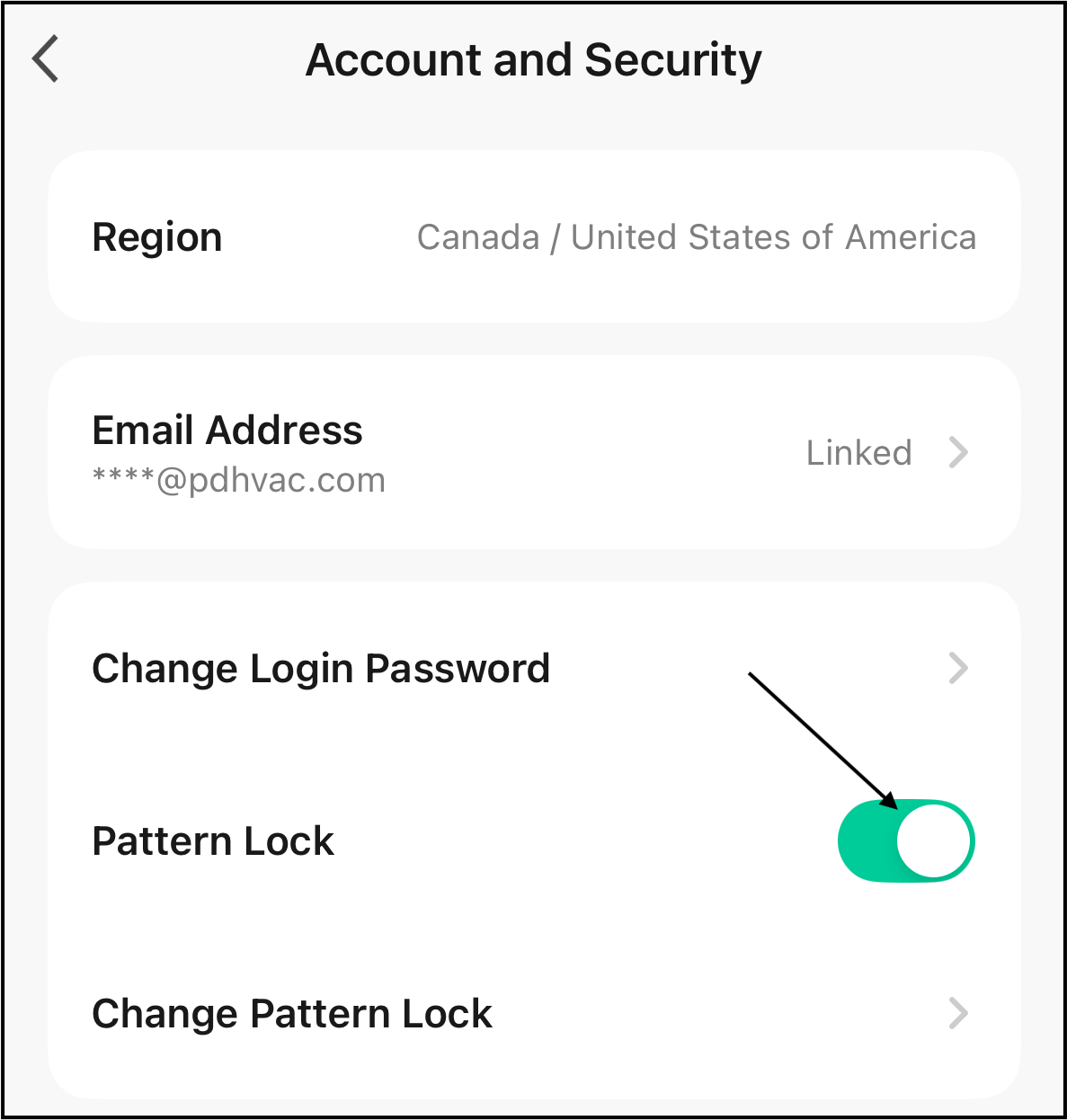
Tap "Change Pattern Lock" to change the pattern lock password. The old pattern lock password must be entered before entering the new pattern lock password.