Understand the Functions in the Pioneer Airlink AppUpdated 7 months ago
Introduction
This article explains the different functions available in the Pioneer Airlink app.
The Main Control screen, along with other function screens, may appear slightly different depending on the air conditioner model.
Mode Selection
Users can change the operating mode of the air conditioner by using the mode selection function.
1. Tap the "Mode" button. 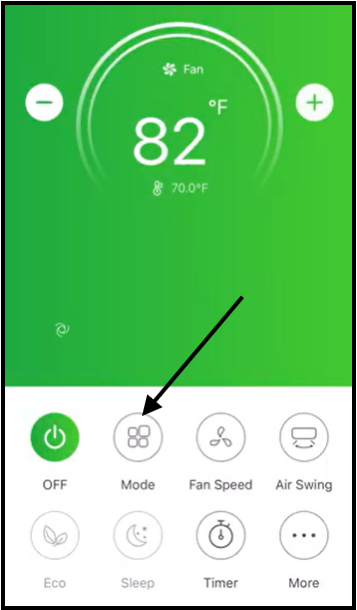
2. Select the desired operating mode by tapping one of the options. 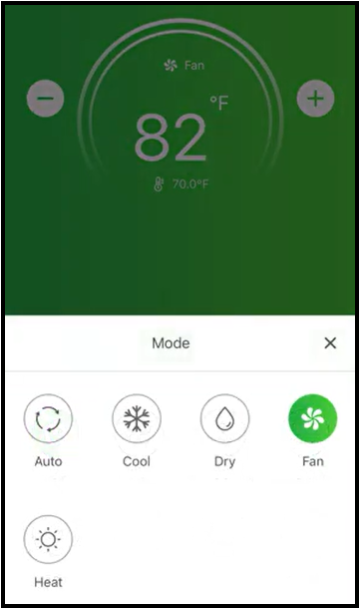
3. Tap the "X" button to return to the Main Control screen.
The air conditioner is now set to the desired mode.
Fan Speed Selection
Users can change the fan speed of the air conditioner by using the fan speed selection function.
1. Tap the "Fan Speed" button. 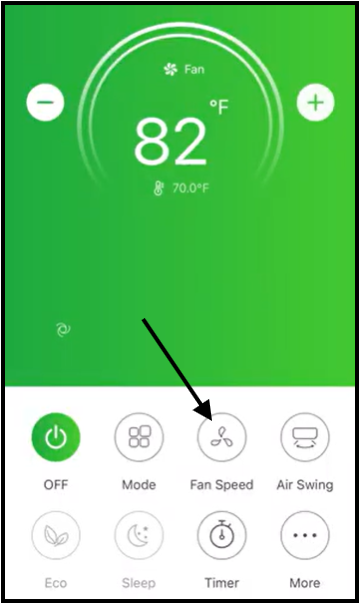
2. Choose the desired fan speed by tapping one of the options. 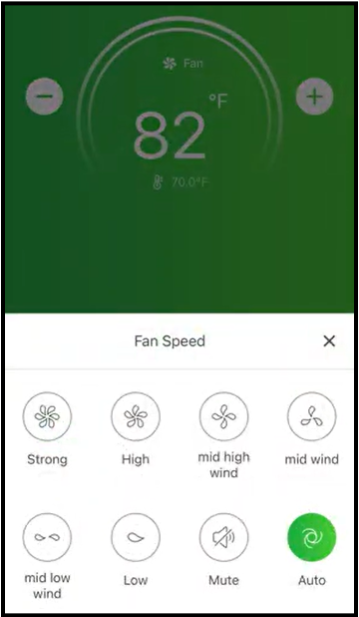
3. Tap the "X" button to return to the Main Control screen.
The air conditioner is now set to the desired fan speed. The selected fan speed indicator will appear on the screen.
Note: The fan speed can't be adjusted in Dry mode.
| Mode | Fan Speed |
| Cool | All speeds |
| Fan | All speeds |
| Dry | N/A |
| Heat | All speeds |
| Auto | All speeds |
Air Swing Direction Selection
Users can change the air swing direction of the air conditioner by using the air swing selection function.
If the air swing function is activated with a model without auto left-right wing, a beep will be emitted, but no actions will occur.
1. Tap the "Air Swing" button. 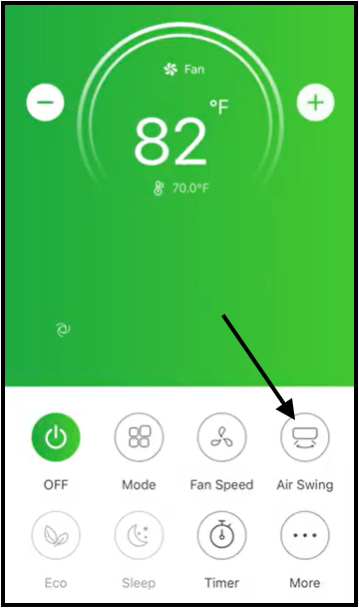
2. Choose the desired air swing direction by tapping one of the options. 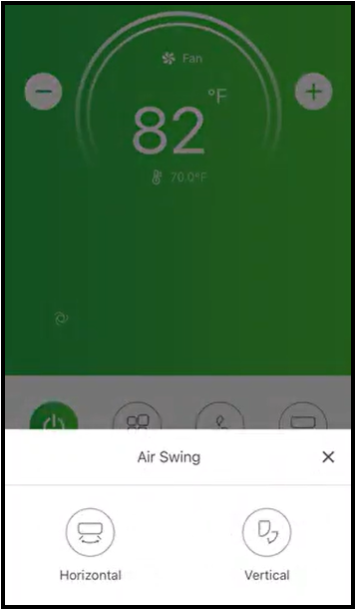
3. Tap the "X" button to return to the Main Control screen.
The air conditioner is now set to the desired air swing direction. The selected air swing direction indicator will appear on the screen.
Activate the Eco Function
Users can activate the Eco function to enable the air conditioner to automatically manage its operation in order to save energy.
The Eco function is only available in Cooling and Heating mode. In Cooling mode, the new setting temperature is more than or equal to 79°F (26.1°C). In Heating mode, the new setting temperature is less than or equal to 77°F (25°C).
The Eco function is disabled in Fan, Dry, and Auto mode. For some models, it is also disabled in Turbo and Sleep mode.
| Mode | Eco Enabled |
| Cool | Yes |
| Fan | N/A |
| Dry | N/A |
| Heat | Yes |
| Auto | N/A |
Tap the "Eco" button to activate the function. The Eco function indicator will appear on the screen. 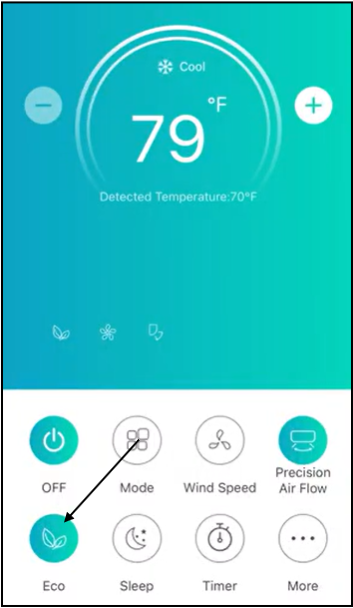
Tap the "Eco" button again to disable the function.
Activate the Sleep Function
Users can activate the sleep function during periods of lesser cooling and heating requirements in order to decrease energy use. The sleep function is generally activated during typical sleeping hours.
After 10 hours in Sleep mode, the air conditioner will revert back to the previously set mode.
The sleep function is disabled in Fan, Dry, and Auto mode. For some models, it is also disabled in Turbo and Sleep mode.
| Mode | Sleep Enabled |
| Cool | Yes |
| Fan | N/A |
| Dry | N/A |
| Heat | Yes |
| Auto | N/A |
1. Tap the "Sleep" button. 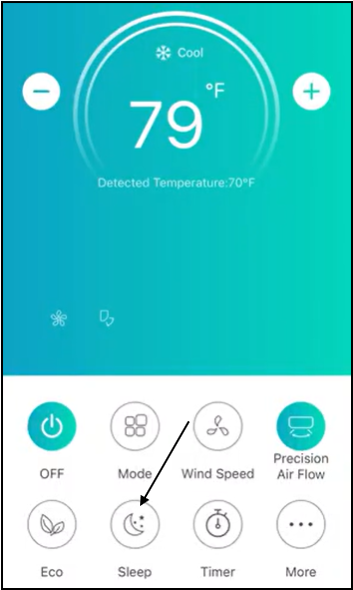
2. Choose the desired sleep mode by tapping one of the options. 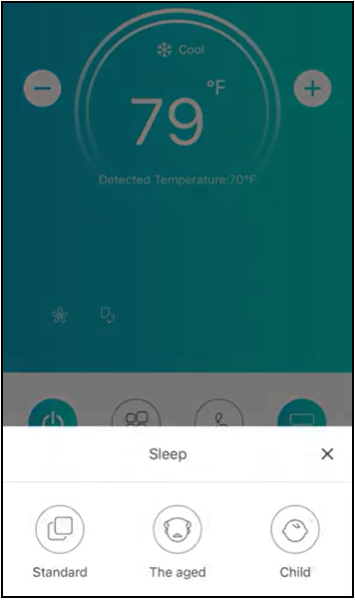
3. Tap the "X" button to return to the Main Control screen.
The air conditioner is now set to the desired Sleep mode. The selected Sleep Mode indicator will appear on the screen.
Additional Functions
Tap the "More" button to operate additional functions.
Note: Some air conditioner models do not have the "More" button. Also, some icons may not appear if the air conditioner model does not have the function.
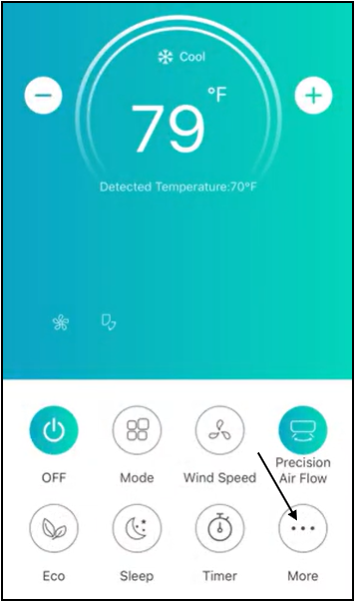
- Tap the "Display" or "Light" button to switch on or off the indoor LED display. 
- Tap the "Buzzer" or "Beep" button to switch on or off the confirmation noise. 
- Tap the "Anti-Mildew" button to activate the anti-mildew function. This function begins after turning off the air conditioner. It will start to dry, reducing the residual moisture and preventing mold. The function will automatically turn off after it finishes. 
- Tap the "GEN Mode" button to activate this function. In this mode, the user can choose one of the three levels of current. The air conditioner will maintain proper current to save energy.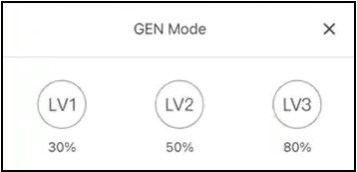
- Tap the "Health" button to switch on or off the Health function. This function activates the antibacterial ionizer function. This function is only available for models with the ionizer generator. 
- Tap the "Self-Cleaning" button to activate the self-cleaning function. 
- Tap the "46°F Heat" button to enable the appliance to keep the temperature over 46°F (7.8°C). 
- Tap the "Photosensitive" button to enable the appliance to automatically turn off or on the LED display, according to the light intensity. 
- Tap the "Soft Wind" button to enable the appliance to blow soft airflow through the micro holes on the deflector. 
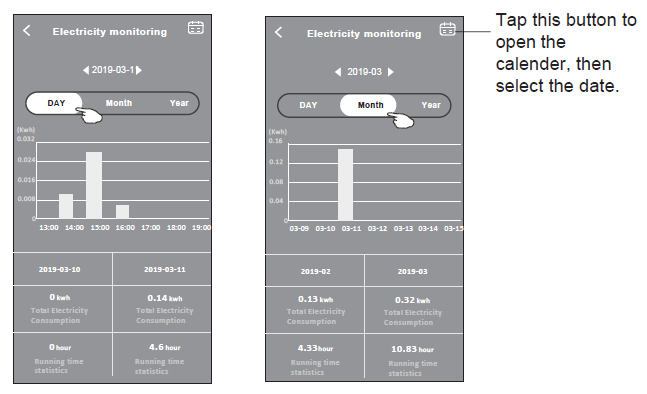
- Tap the "Electricity Monitoring" button in order to monitor the air conditioner's electricity consumption. 
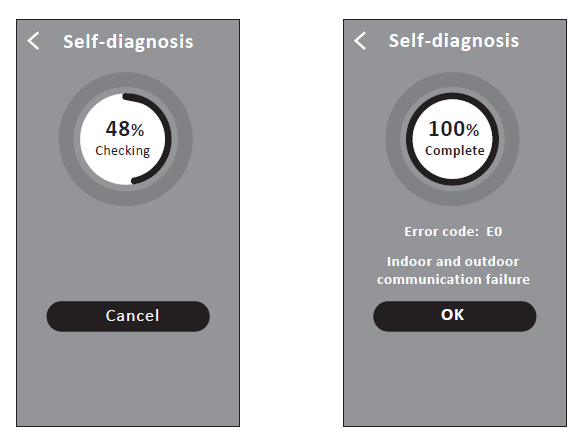
- Tap the "Self-diagnosis" button to enable the air conditioner to automatically diagnosis itself. This feature will then indicate the error code and the problem instructions, if possible.