Installing the Panel for CYT-24 Eight-Way Ceiling Cassette Indoor UnitsUpdated 3 months ago
Introduction
Learn how to install and wire the panel for the Quantum Ultra Eight-Way Ceiling Cassette (CYT-24) indoor unit.
The steps for installing the panel differ slightly between the 9,500-16,000 BTU systems (CYT009GLSI24RL, CYT012GLSI24RL, & CYT018GLSI24RL) and the 23,000 BTU system (CYT024GLSI24RL).
Installing the Panel
9,500-16,000 BTU Systems
Remove the Return Air Grille
1. Rotate both grille fasteners to the "Open" position.
2. Carefully loosen the screws and remove the ventilation grille. The grille will remain suspended from the panel by the safety cords.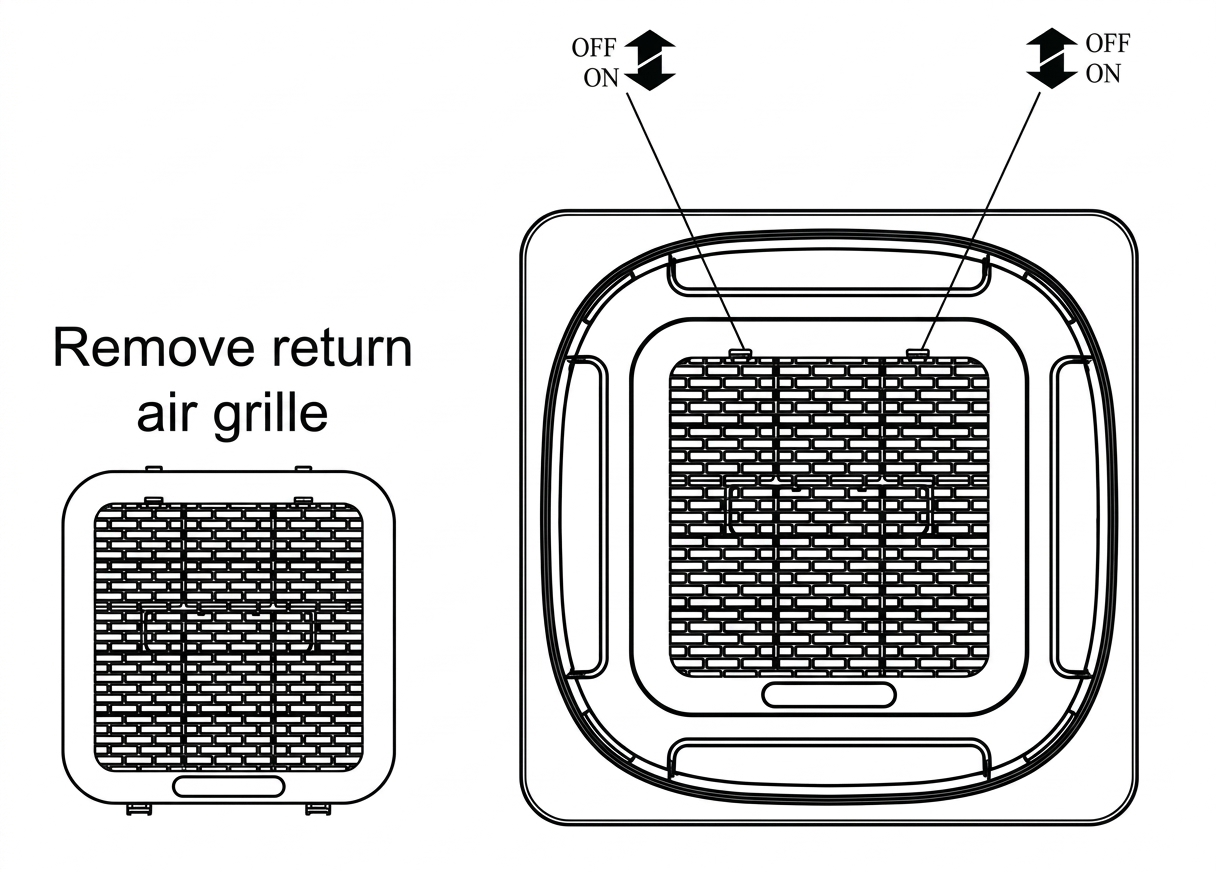
Install the Panel
1. Secure the panel to the ceiling base at the designated holes using four bolts and washers.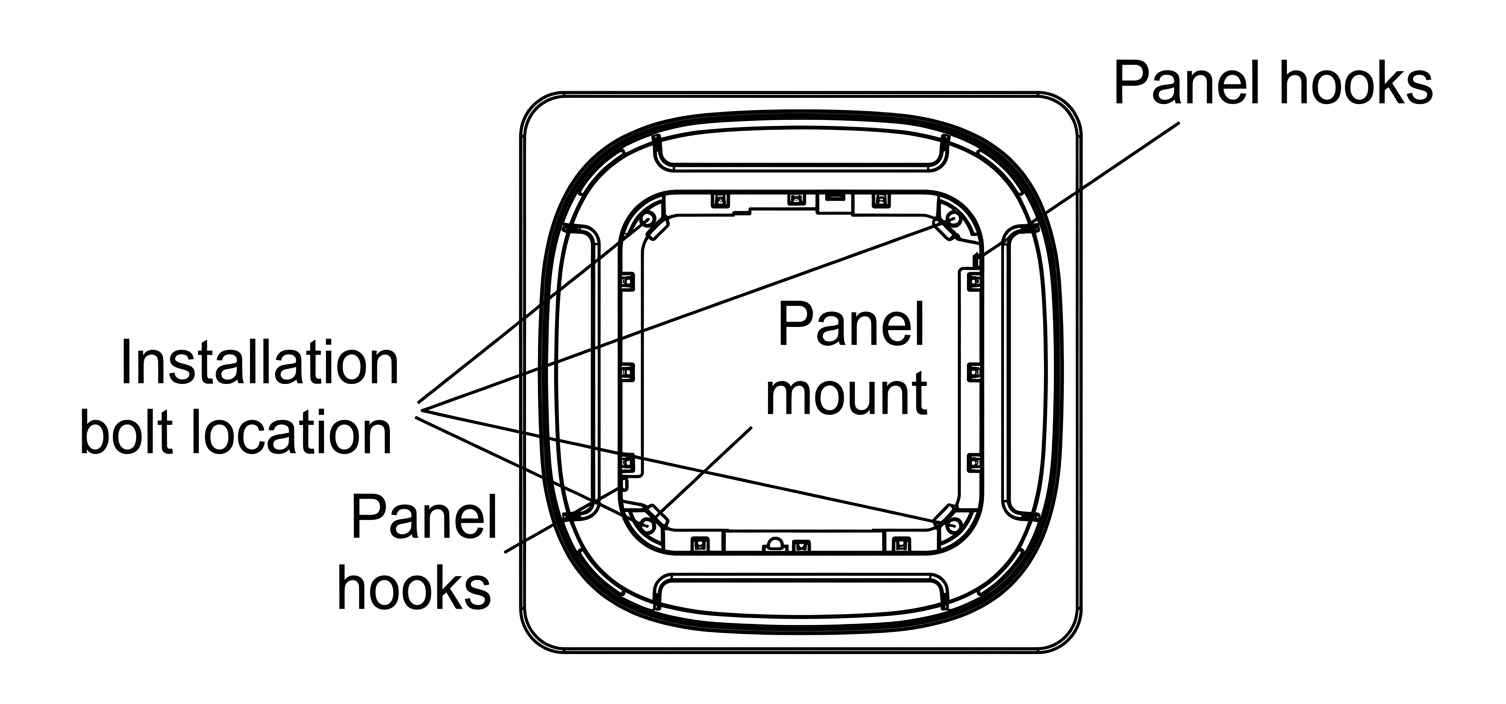
2. To support the panel during installation, hang the two safety cables onto the provided hooks.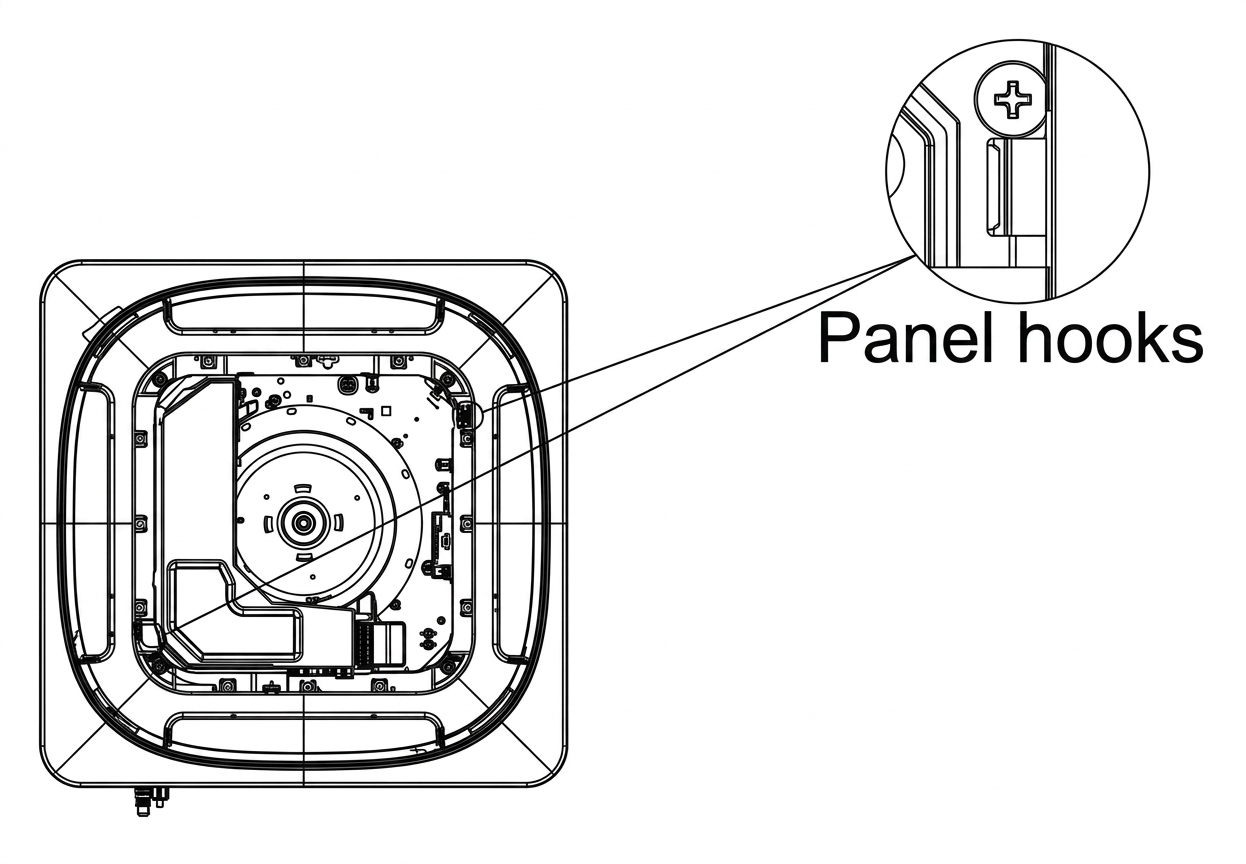
3. Align the ventilation grille correctly, tighten the screw, and snap it securely back into place.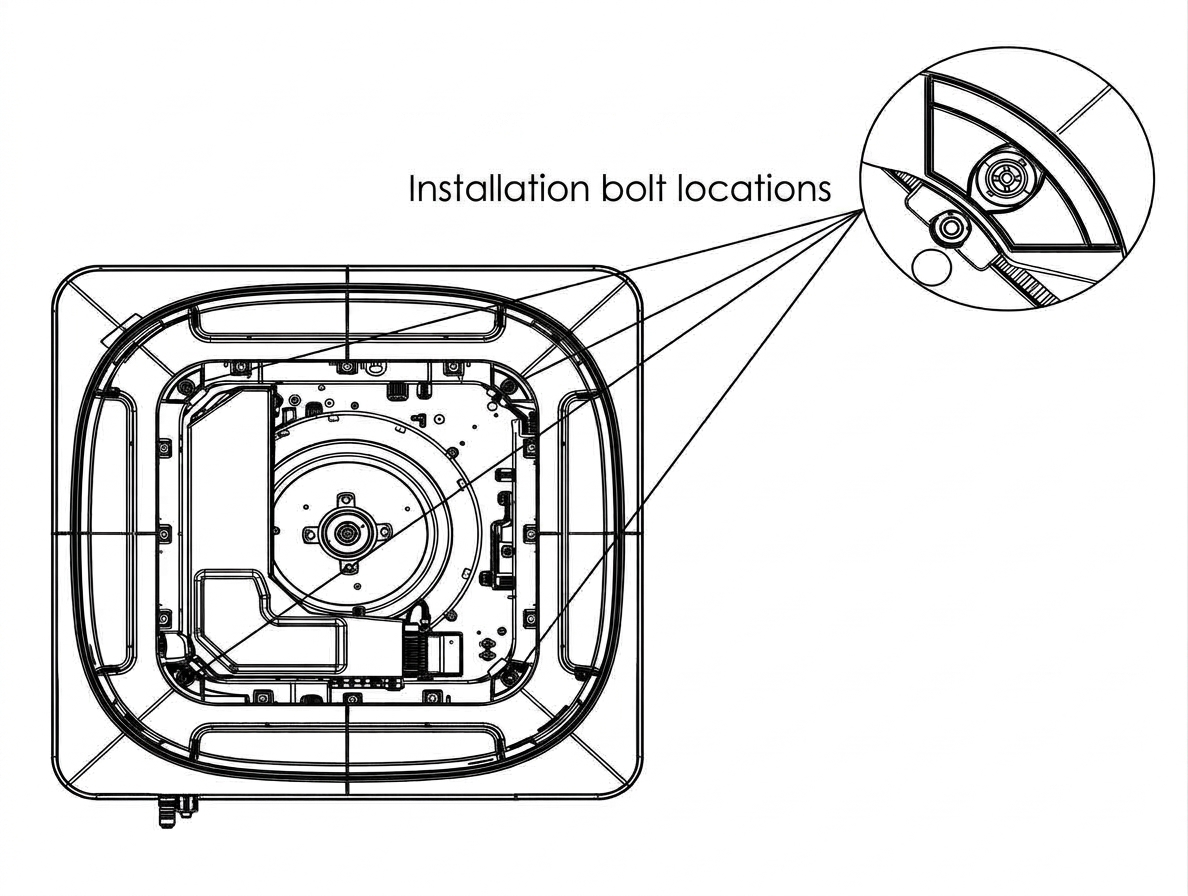
23,000 BTU System
Remove the Return Air Grille
The procedure is identical to the one used for 9.5K - 16K systems. 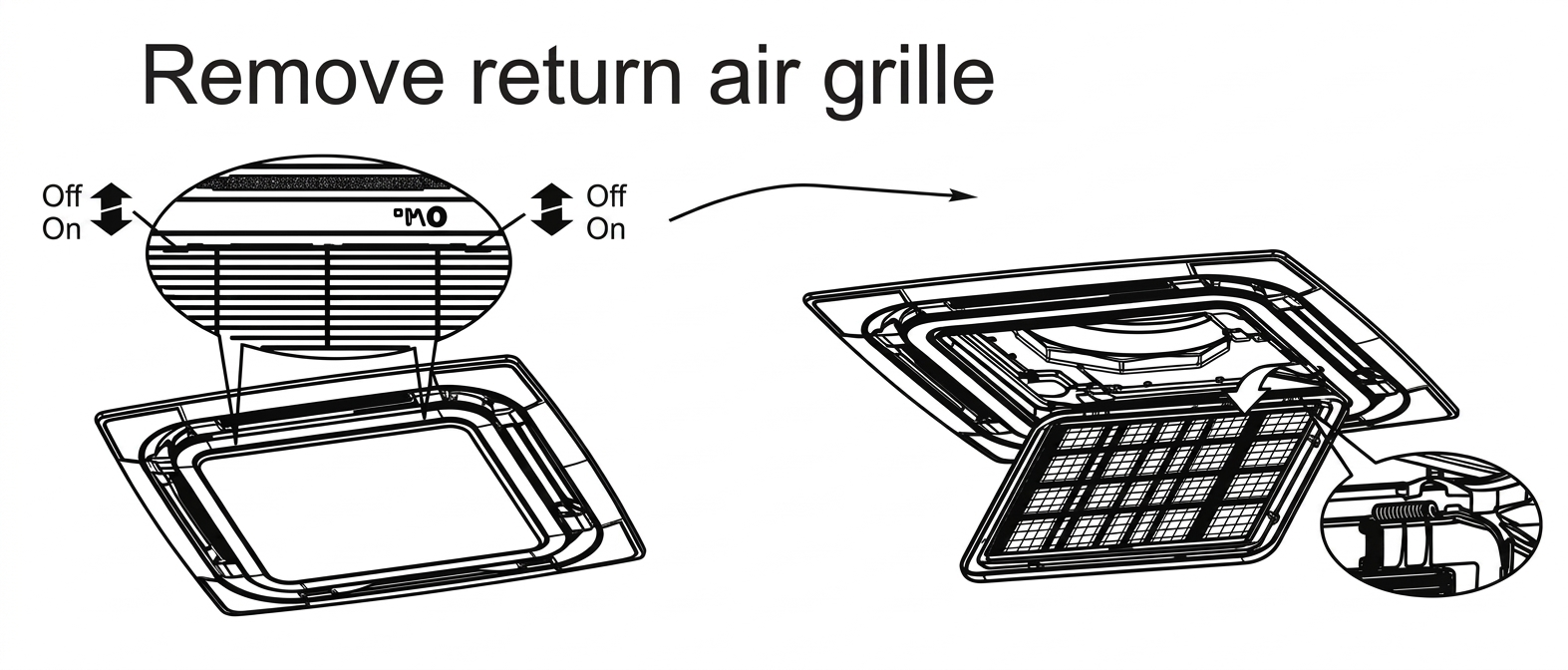
Remove the Installation Caps
Expose the clamp mounting points by removing the four installation caps at each corner of the panel. 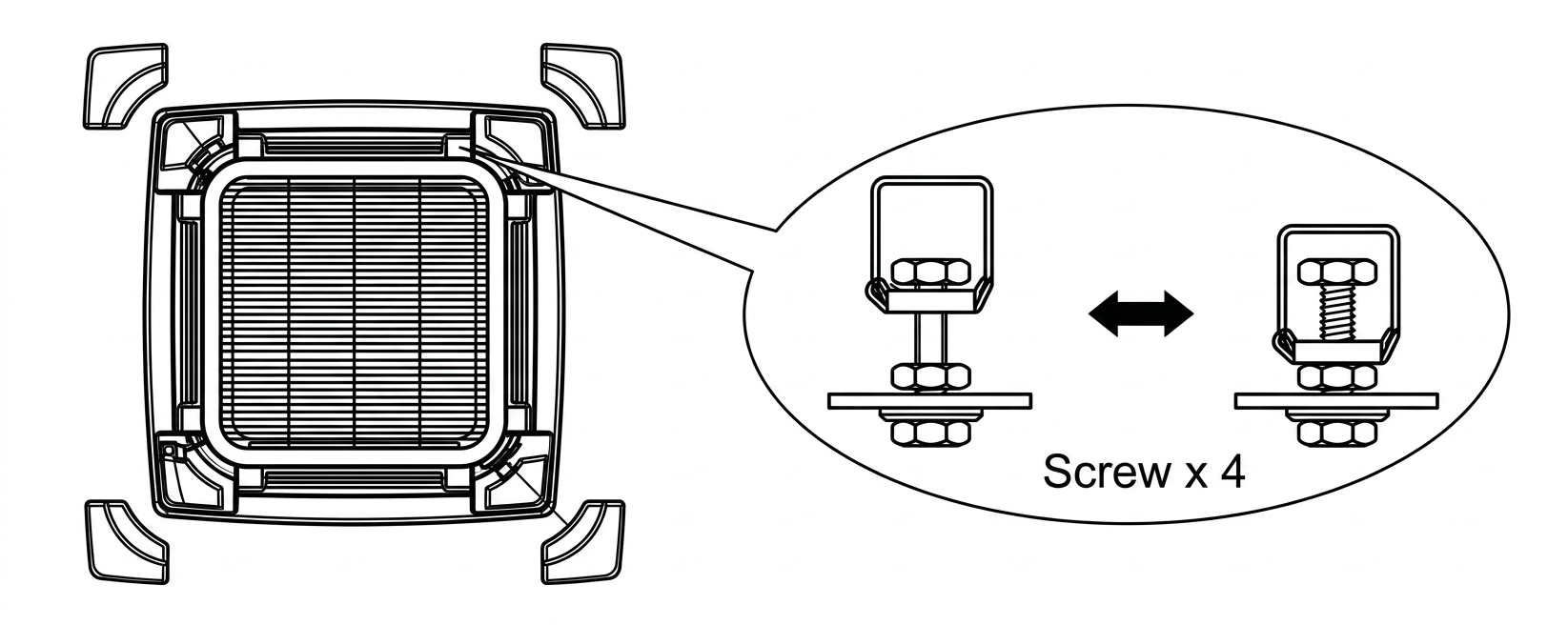
Install the Panel
1. Insert the four clamps into the hooks on the panel.
2. Tighten the four bolts to fasten the clamps and secure the panel to the ceiling base.
3. Reattach the installation caps to the four corners of the panel.
4. Attach the panel's safety cord to the fixed bracket to prevent accidental detachment.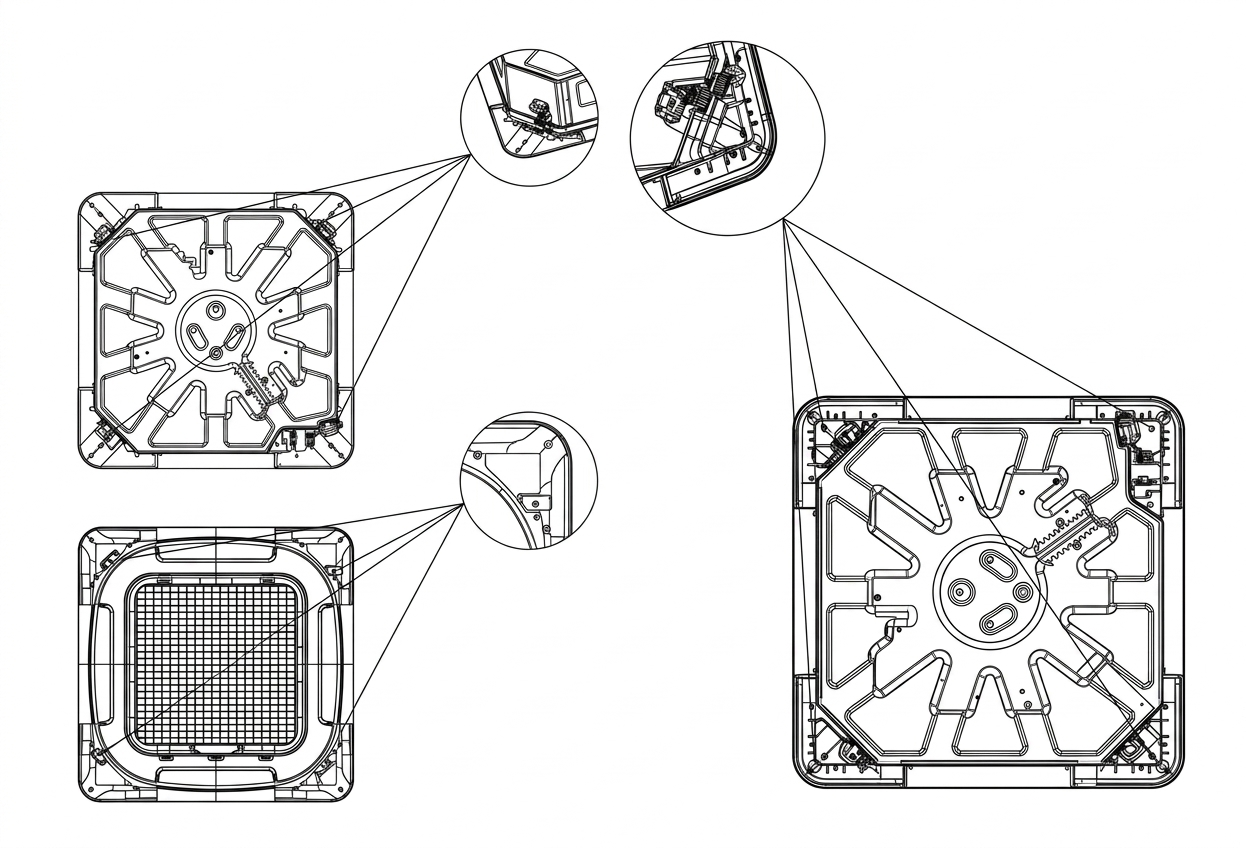
Wiring the Panel
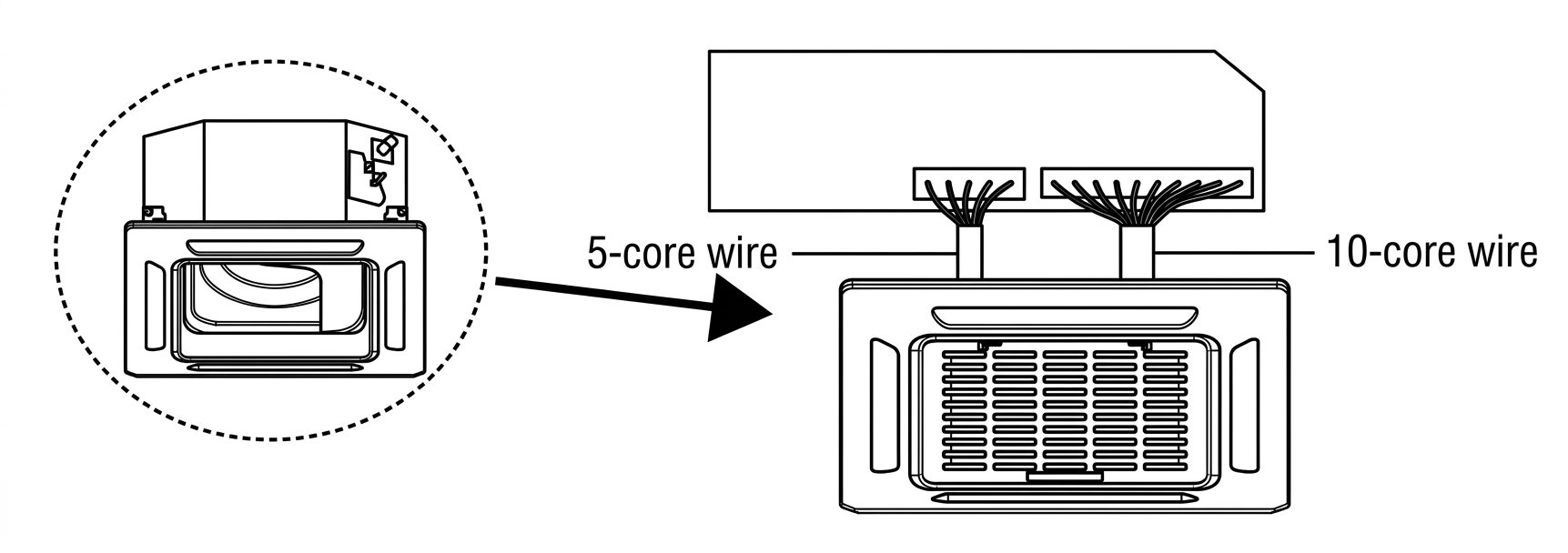
Connect the panel's LED display board and louver swing motor to the indoor unit main control board using the 10-pin and 5-pin wires.