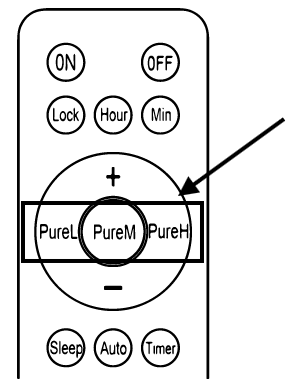
Understand the Remote Controller for ECOasis 150 Energy Recovery VentilatorsUpdated 8 months ago
Introduction
This article explains the remote controller for ECOasis 150 Ductless Wall-Mounted Single-Room Energy Recovery Ventilators.
Turn On/Off the Ventilator
Press the "On" button to turn on the ventilator. 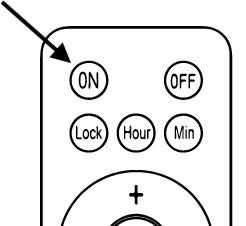
Press the "Off" button to turn off the ventilator.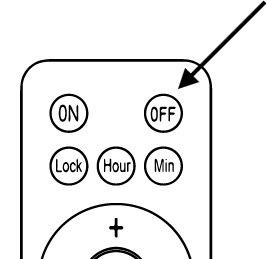
Activate Auto Mode
Press the "Auto" button to activate Auto mode. In this mode, the system will adjust the supply air volume according to the indoor CO²/PM2.5 range. 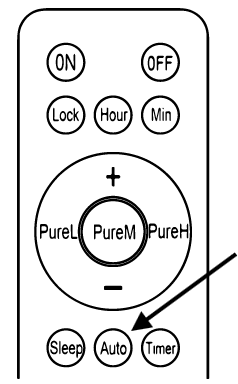
To ensure sufficient indoor fresh air supply, the speed will rise automatically after Auto mode runs for some time. After 5-10 minutes, the ventilator will revert to the previous speed. During this time, the screen will display a different speed from the chart below.
The corresponding speeds are as follows:
| CO² Value | Air Quality Status | Operational Speed |
| 0 ≤ CO² ≤ 450 | Excellent | 1 |
| 450 < CO² ≤ 1000 | Good | 3 |
| 1000 < CO² ≤ 1500 | Light impurities | 5 |
| 1500 < CO² ≤ 2000 | Medium impurities | 7 |
| CO² > 2000 | Serious impurities | 8 |
| PM2.5 Value | Air Quality Status | Operational Speed |
| 0 ≤ PM2.5 ≤ 35 | Excellent | 1 |
| 35 < PM2.5 ≤ 75 | Good | 2 |
| 75 < PM2.5 ≤ 115 | Light impurities | 4 |
| 115 < PM2.5 ≤ 150 | Medium impurities | 5 |
| 150 < PM2.5 ≤ 250 | Heavy impurities | 7 |
| PM2.5 > 2000 | Serious impurities | 8 |
Activate Sleep Mode
Press the "Sleep" button to activate Sleep mode. In this mode, the system runs at the lowest speed, and the screen brightness will be lowered to half of the normal setting. 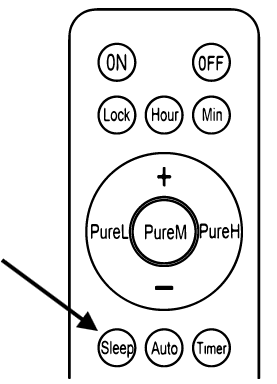
Configure the Fan Speed, Supply Air Speed, and Exhaust Air Speed
Fan Speed
Press the "+" or "-" button to change the fan speed.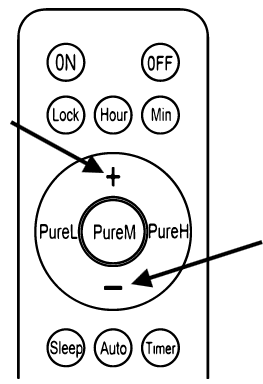
Pressing the "+" button changes the fan speed from slower to faster. Pressing the "-" button changes the fan speed from faster to slower.
Supply Air Speed & Exhaust Air Speed
Pressing the "+" and "-" buttons can also adjust the speeds of the supply air and exhaust air.
When in Manual mode, the supply air indicator will flash, allowing the user to press either the "+" or "-" button to adjust the supply air speed.
Press the "Pure H" button to switch the air speed selection to exhaust air. Press either the "+" or "-" button to adjust the exhaust air speed. 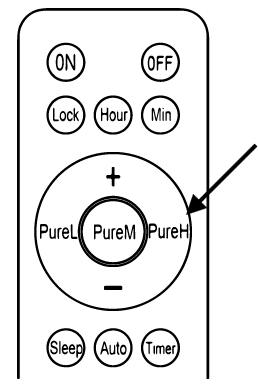
After configuring both the supply and exhaust air, press the "Pure H" button again to quit the speed configuration. Speed configuration will also quit automatically if there is no input received for 15 seconds.
Configure the Time Display
Lock Display
Press the "Lock" button to turn off the display. Press the "Lock" button again to turn on the display. 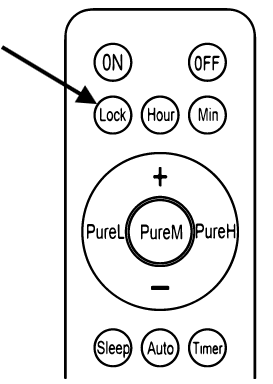
Change the Display Time
Press the "Hour" or "Minute" button to set the display time for the system. 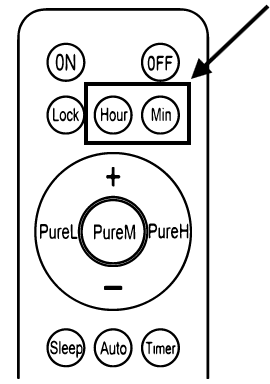
Pressing the "Hour" button will make the hour part of the ventilator screen to start blinking. The hour part is at the top right corner of the screen. Press the "+" button to increase the time, or press the "-" button to decrease the time. Press the "Hour" button again to save the setting and exit the hour-setting mode. 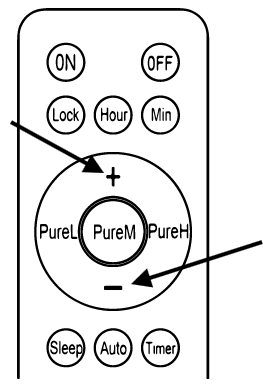
Pressing the "Minute" button will make the minute part of the ventilator screen to start blinking. The minute part is at the top right corner of the screen. Press the "+" button to increase the time, or press the "-" button to decrease the time. Press the "Minute" button again to save the setting and exit the hour-setting mode.
Note: If there is no operation in 15 seconds, the blinking will end and the settings will be saved automatically.
Configure the Timer Settings
The "Timer" button gives users the ability to set a time delay for the system to turn itself off.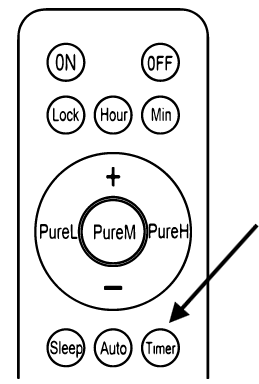
Press the "Timer" button to enter Timer mode. The time shown at the top right corner of display screen will begin blinking.
In intervals of 30 minutes, press the "+" button to increase time and the "-" button to decrease time. The longest time setting is 8 hours. 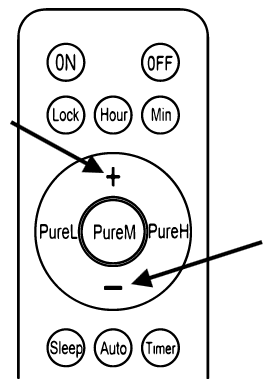
Press the "Timer" button again to save and exit the timer setting. The top right corner of the display screen will revert to showing the current time again.
Rapid Improvement of Air Quality
Use the "Pure L", "Pure M", or "Pure H" buttons to rapid improve the indoor air quality. The "Pure L" button is for low, the "Pure M" button is for medium, and the "Pure H" button is for high.