Activate Turbo ModeUpdated a month ago
Introduction
This article explains how to put your system into Turbo mode.
In Turbo mode, the appliance will operate using the highest fan speed in order to maximize the output and reach the set temperature in the quickest way.
This article is for the following systems:
- Diamante Essenza High-Wall (WYT-17)
- Diamante Essenza High-Wall (WYT-20U)
- Diamante Pro High-Wall (WYT-20S)
- Quantum Ultra High-Wall (WYT-24)
- Quantum Hyperformance High-Wall (WYT-25)
- Quantum Fresh High-Wall (WYT-FA)
- Quantum Ultra 8-Way Ceiling Cassette (CYT-24)
- Quantum Ultra Ducted Ceiling Concealed (RYT-24)
- Quantum Ultra Universal Floor-Ceiling Flex (UYT-24)
Steps
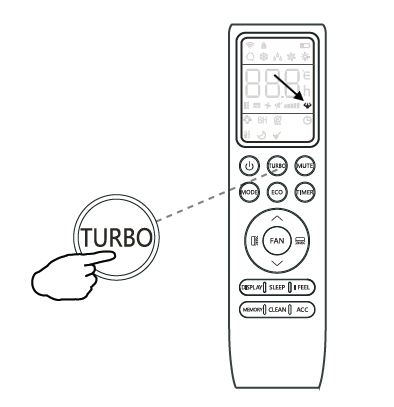
- Press the "TURBO" button on the remote controller. This icon will appear.

- Press the "TURBO" button again to exit from this mode.