Activate Mute ModeUpdated 12 days ago
Introduction
This article explains how to put your system into Mute mode.
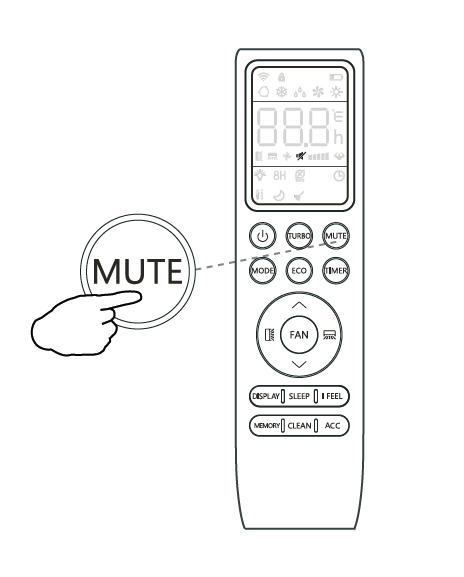
When the system is muted, the indoor unit will operate at its lowest fan speed in order to minimize operation noise. The remote controller will display the auto fan speed.
The Mute feature cannot be activated when the system is in Dry mode.
This article is for the following systems:
- Diamante Essenza High-Wall (WYT-17)
- Diamante Essenza High-Wall (WYT-20U)
- Diamante Pro High-Wall (WYT-20S)
- Quantum Ultra High-Wall (WYT-24)
- Quantum Hyperformance High-Wall (WYT-25)
- Quantum Fresh High-Wall (WYT-FA)
- Quantum Ultra 8-Way Ceiling Cassette (CYT-24)
- Quantum Ultra Ducted Ceiling Concealed (RYT-24)
- Quantum Ultra Universal Floor-Ceiling Flex (UYT-24)
Steps
- Press the "MUTE" button in order to activate this mode. The silent icon will display to indicate that the system is muted.

- Press either the Fan, Turbo, or Sleep button to cancel this mode.