Activate the I Feel FeatureUpdated 3 days ago
Introduction
This article explains how to activate the I Feel feature.
The I Feel feature enables the remote controller to act as the temperature sensor, relaying the current air temperature of where the controller is physically placed within the room.
In some cases, this feature can aid with reducing thermal drift between the set temperature and actual room temperature.
The I Feel feature will automatically deactivate itself 8 hours later (or 2 hours on some models).
This article is for the following systems:
- Diamante Essenza High-Wall (WYT-17)
- Diamante Essenza High-Wall (WYT-20U)
- Diamante Pro High-Wall (WYT-20S)
- Quantum Ultra High-Wall (WYT-24)
- Quantum Hyperformance High-Wall (WYT-25)
- Quantum Fresh High-Wall (WYT-FA)
- Quantum Ultra 8-Way Ceiling Cassette (CYT-24)
- Quantum Ultra Ducted Ceiling Concealed (RYT-24)
- Quantum Ultra Universal Floor-Ceiling Flex (UYT-24)
Steps
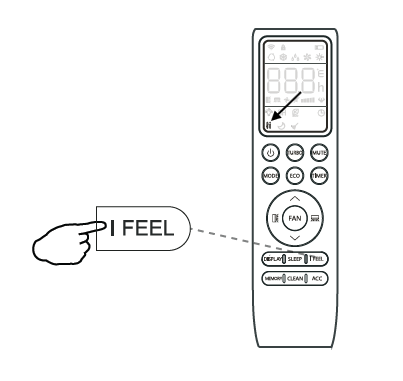
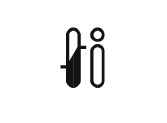
- Press the "I FEEL" button and this icon will appear on the display.
- Press the "I FEEL" button again to exit from this mode.