
Adjust the Static Pressure Settings for Quantum Ceiling Concealed SystemsUpdated 8 months ago
Introduction
Learn how to adjust the static pressure setting for Quantum Ceiling Concealed (RYB) systems using the Pioneer Non-programmable 5-core Wired Controller.
Note: This article is for a product that is discontinued.
The wired non-programmable controller, which is intended for light-commercial AC equipment, can serve as a replacement for the KJR-12B controller. The controller is also compatible for old FYB012 floor-mounted mini splits.
Steps
We recommend refraining from changing any other settings while adjusting the static pressure. The AC unit must be off.
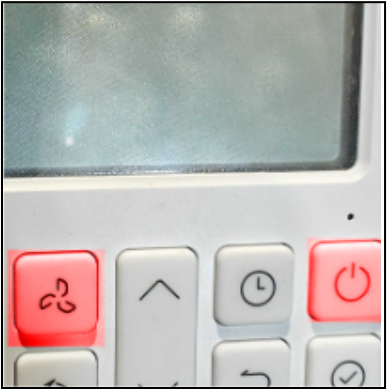
- Press and hold the power and fan buttons until “0” displays on the thermostat screen.
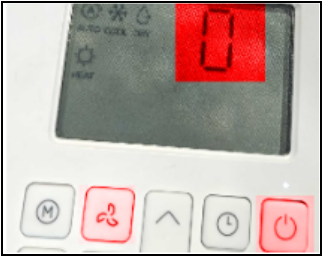
- Press the Up button until “8” displays on the thermostat screen.
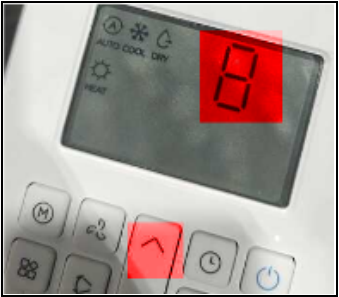
- Press and hold the power button until “CH” displays on the thermostat screen.
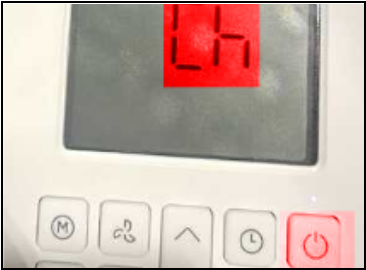
- Press the Up or Down button to select your preferred static pressure. The static pressure setting goes from 1 (lowest) to 4 (highest).
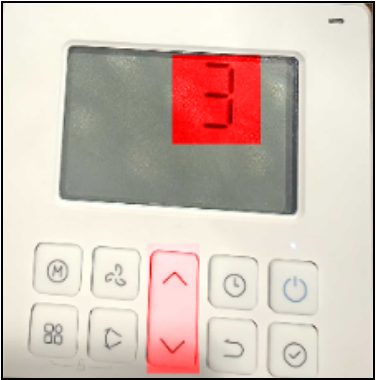
- Press the Confirm button to set your desired setting. The display module of the indoor evaporator unit will reflect the changes.
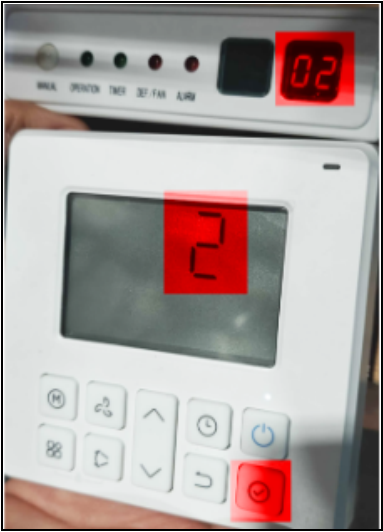
- Press and hold the power and fan buttons to apply the changes and exit the configuration mode.
Diagram
